
Manage company
The company settings page allows you to manage your company details, team members plans and subscriptions.
Opening the sidepanel
To manage your company settings, click on the company name in the top left corner:
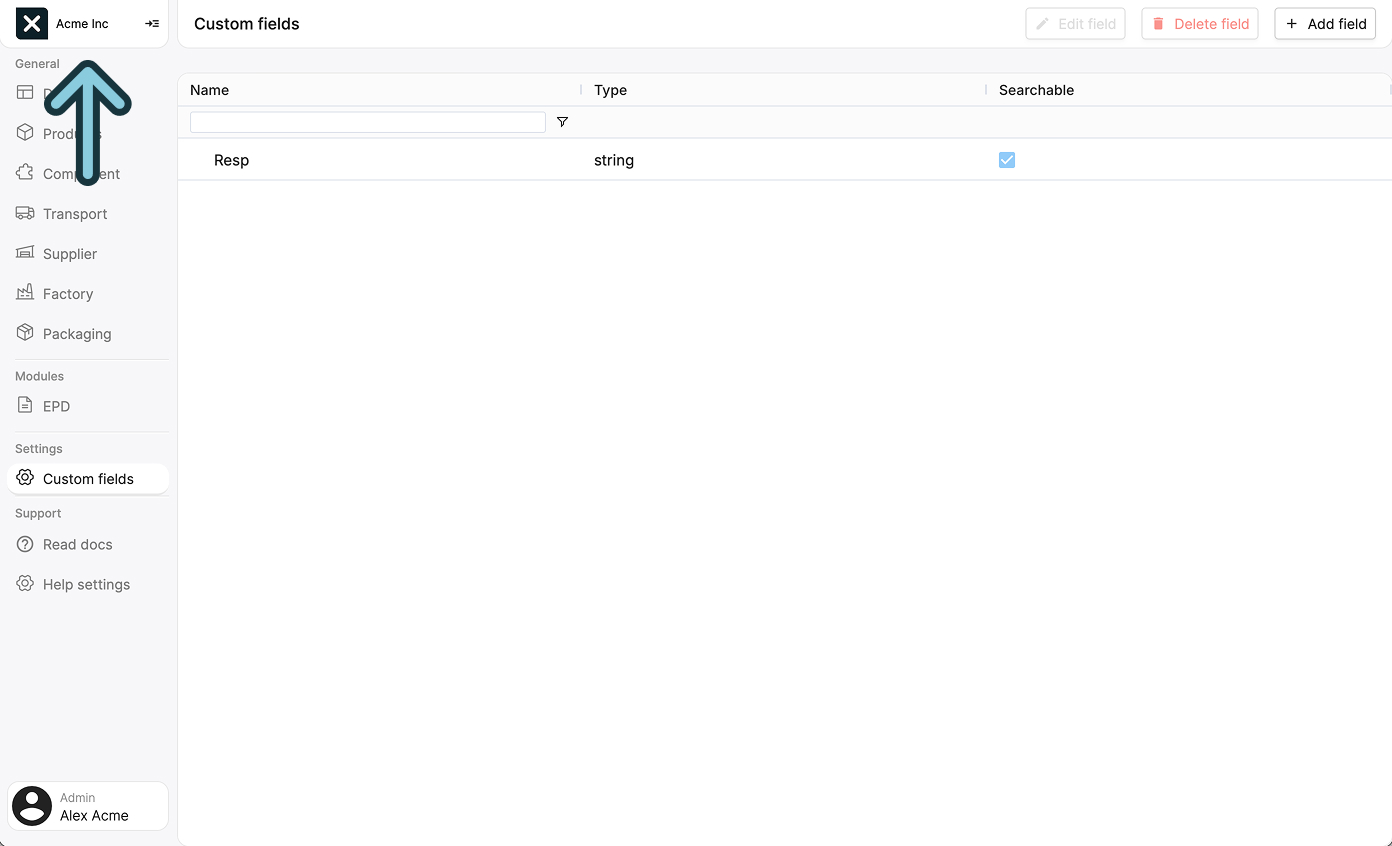
This will open a sidepanel with four tabs, explained below.
Company details
This is the first tab you will see when opening the sidepanel.
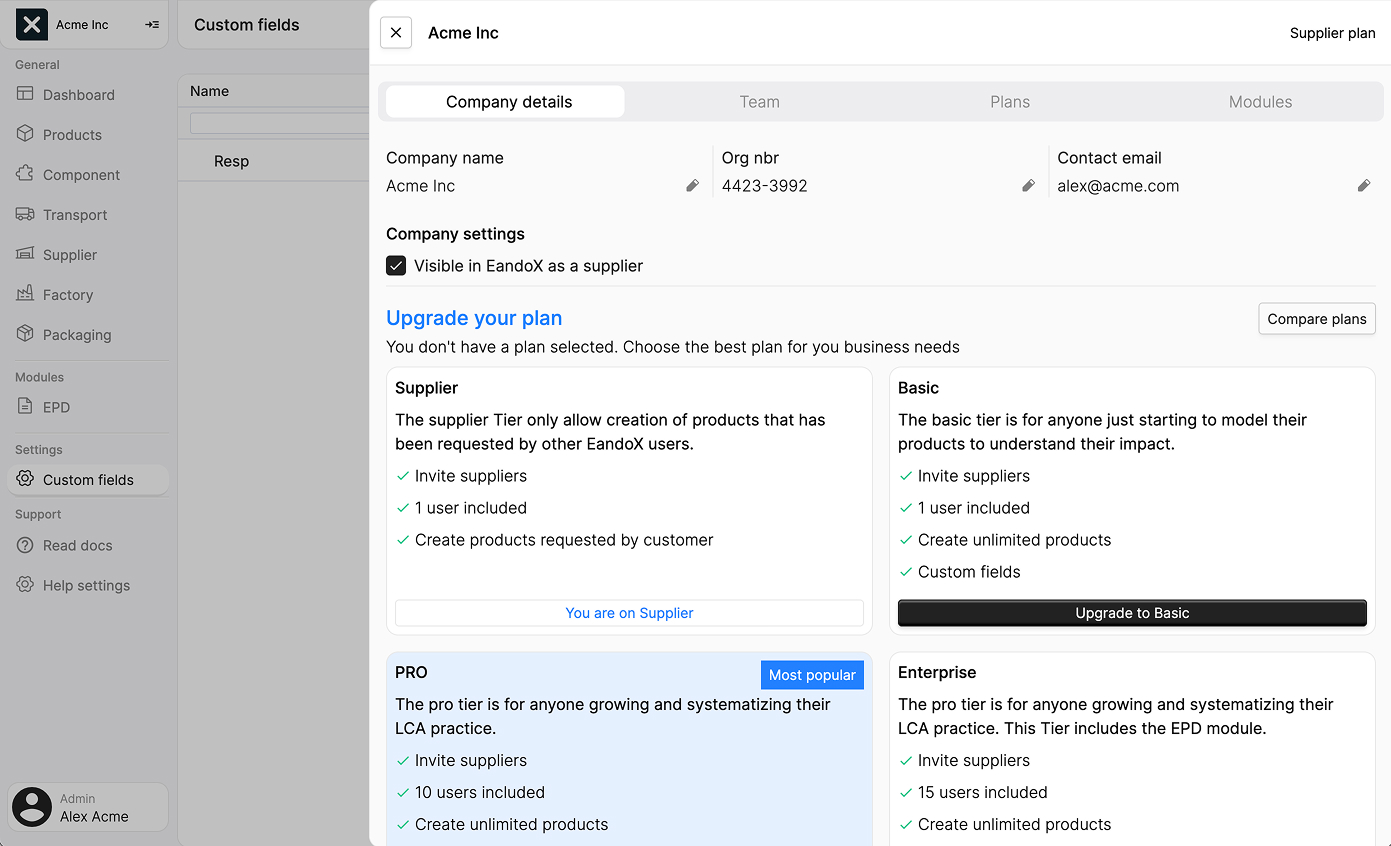
Here you can see what plan you are currently on, and edit your company details:
| Field | Description |
|---|---|
| Company name | The name of your company. Edit this by clicking the pen icon next to the name. |
| Org nbr | Your company's organization number. Edit this by clicking the pen icon next to the number. |
| Contact email | The email address of your company contact. Edit this by clicking the pen icon next to the email address. |
| Visible in EandoX as a supplier | Wether or not other companies can find your company when searching for suppliers in EandoX. |
Team
Clicking the Team tab will open a list of all your team members:
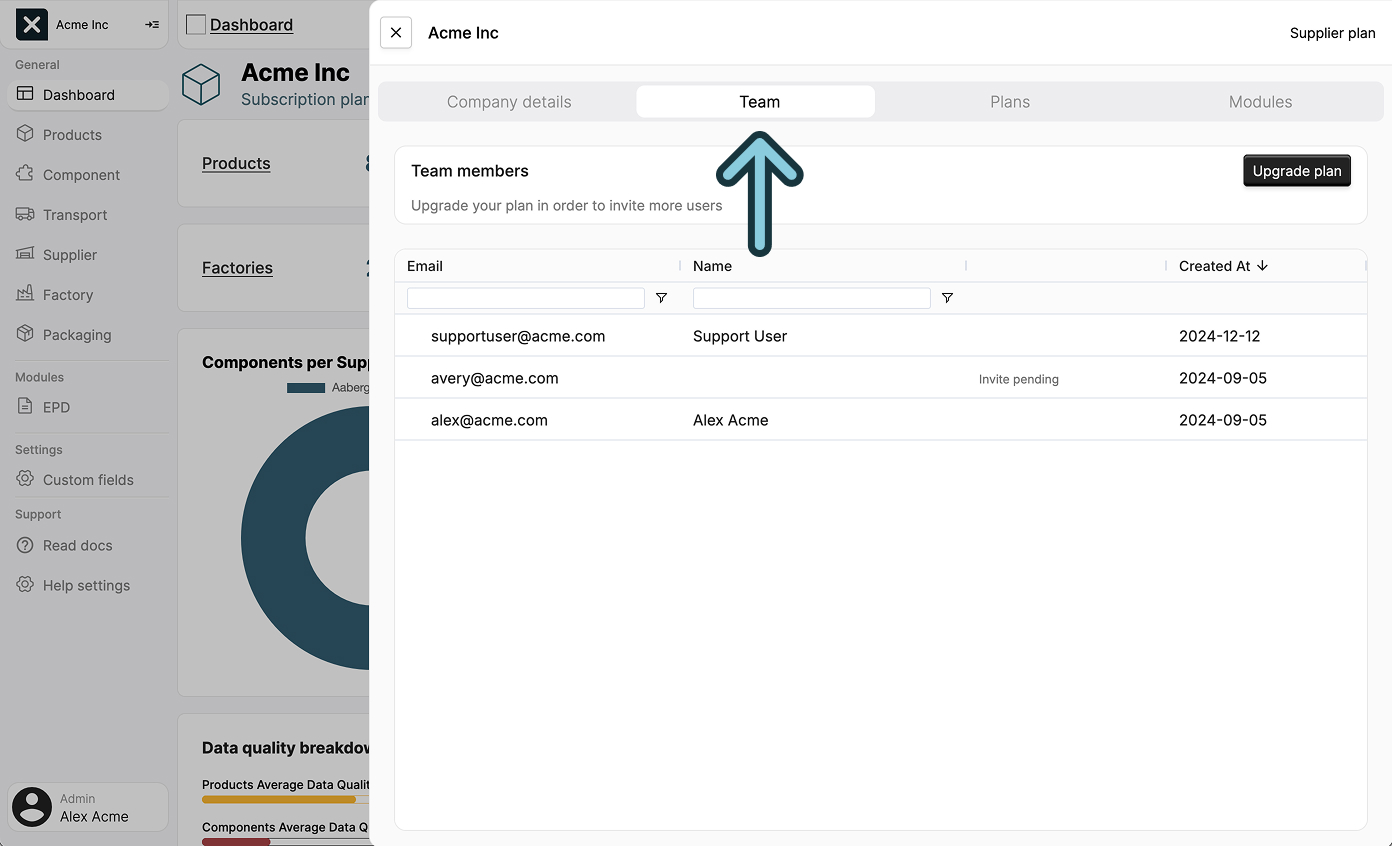
From here, you can add or remove users who are part of your company in EandoX. All team members have full rights to add, edit or remove entities within your company.
Plans
Clicking the Plans tab will open a list of all available plans:
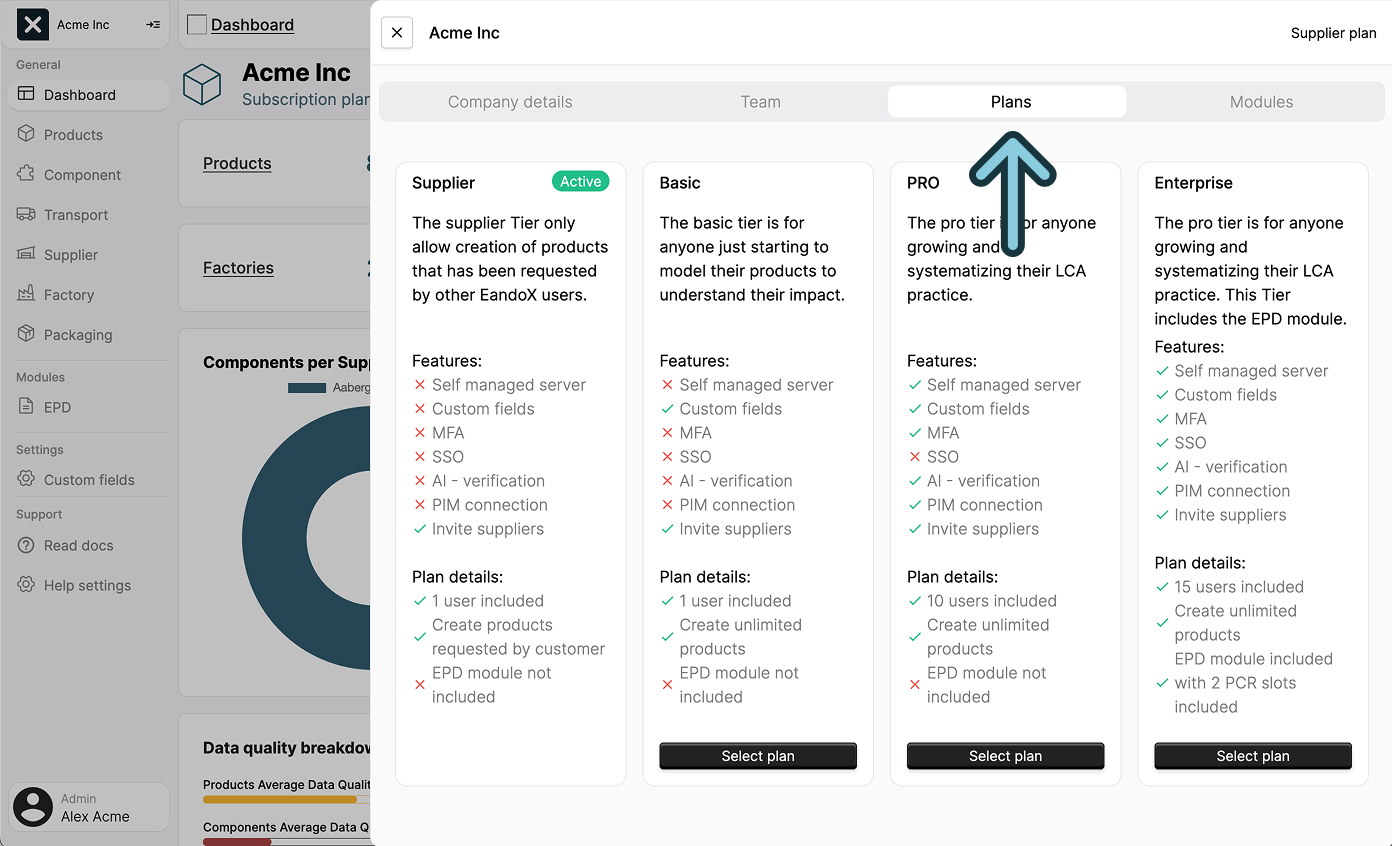
This is useful to compare the different features of each plan, and evaluate wether you are on the right plan for your company.
Modules
Clicking the Modules tab will open a list of all available modules:
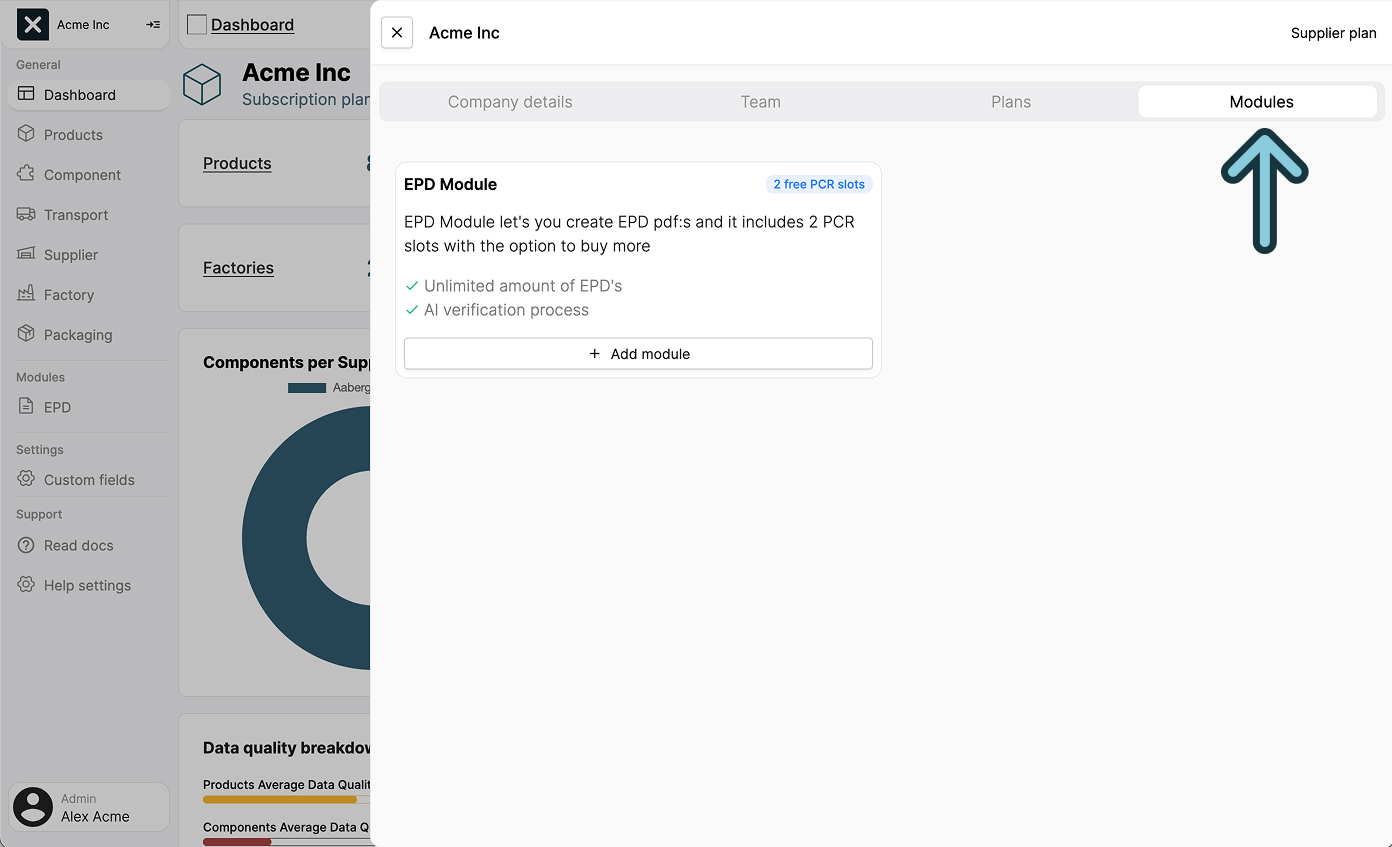
Modules are optional features that can be added to your company. They are useful for some users, but not for others, and are not tied to a specific plan.