
Inviting a supplier
If you can't find the supplier you're looking for in the Global Library, you can invite them to join EandoX. Once they accept the invitation, they can create and share their product data with you.
Inviting a supplier
Navigate to the My Library page in the left navigation menu and click on the Suppliers tab. Click the Invite supplier button at the top of the page.
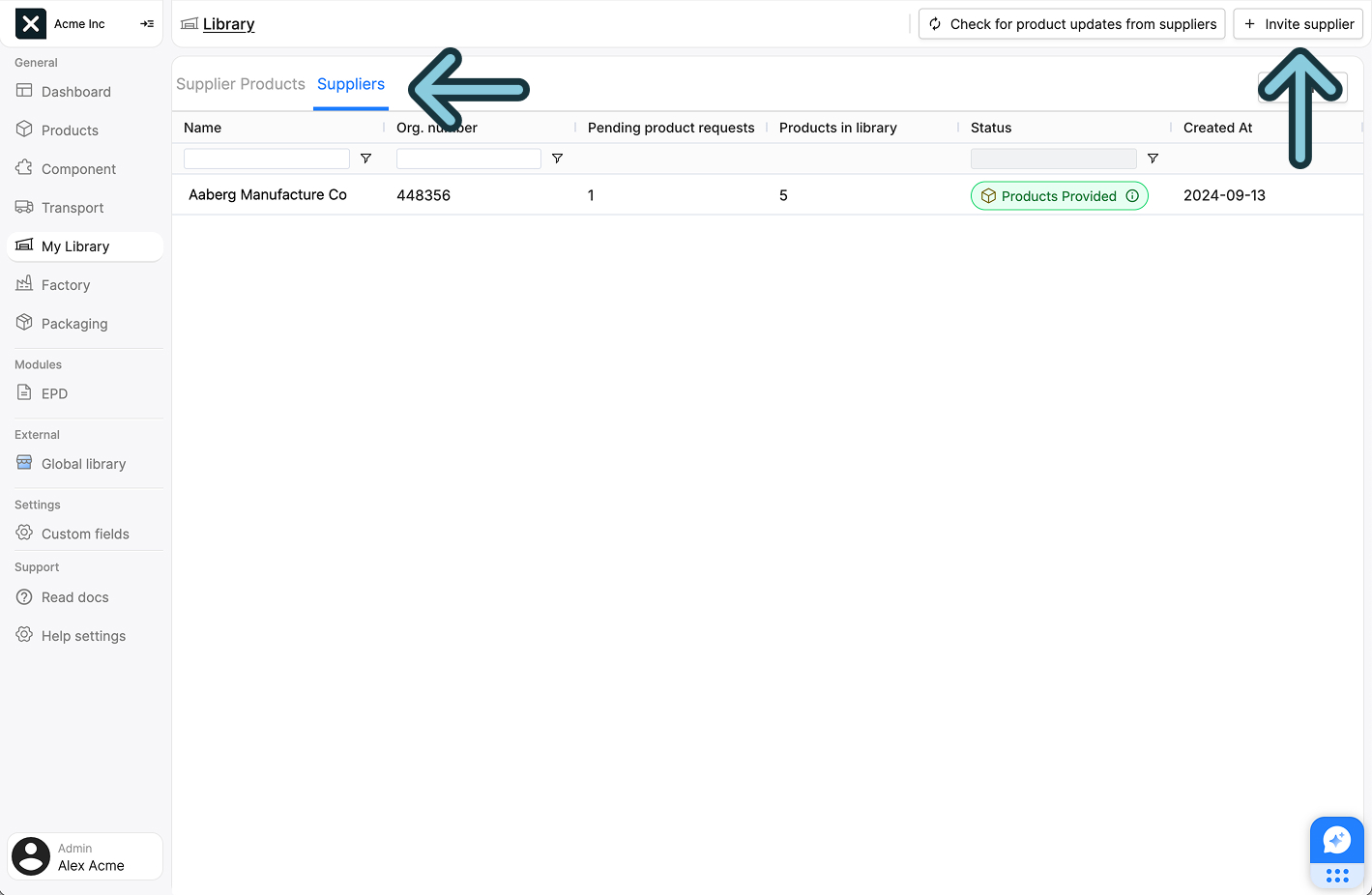
This will open a sidepanel where you can search for suppliers.
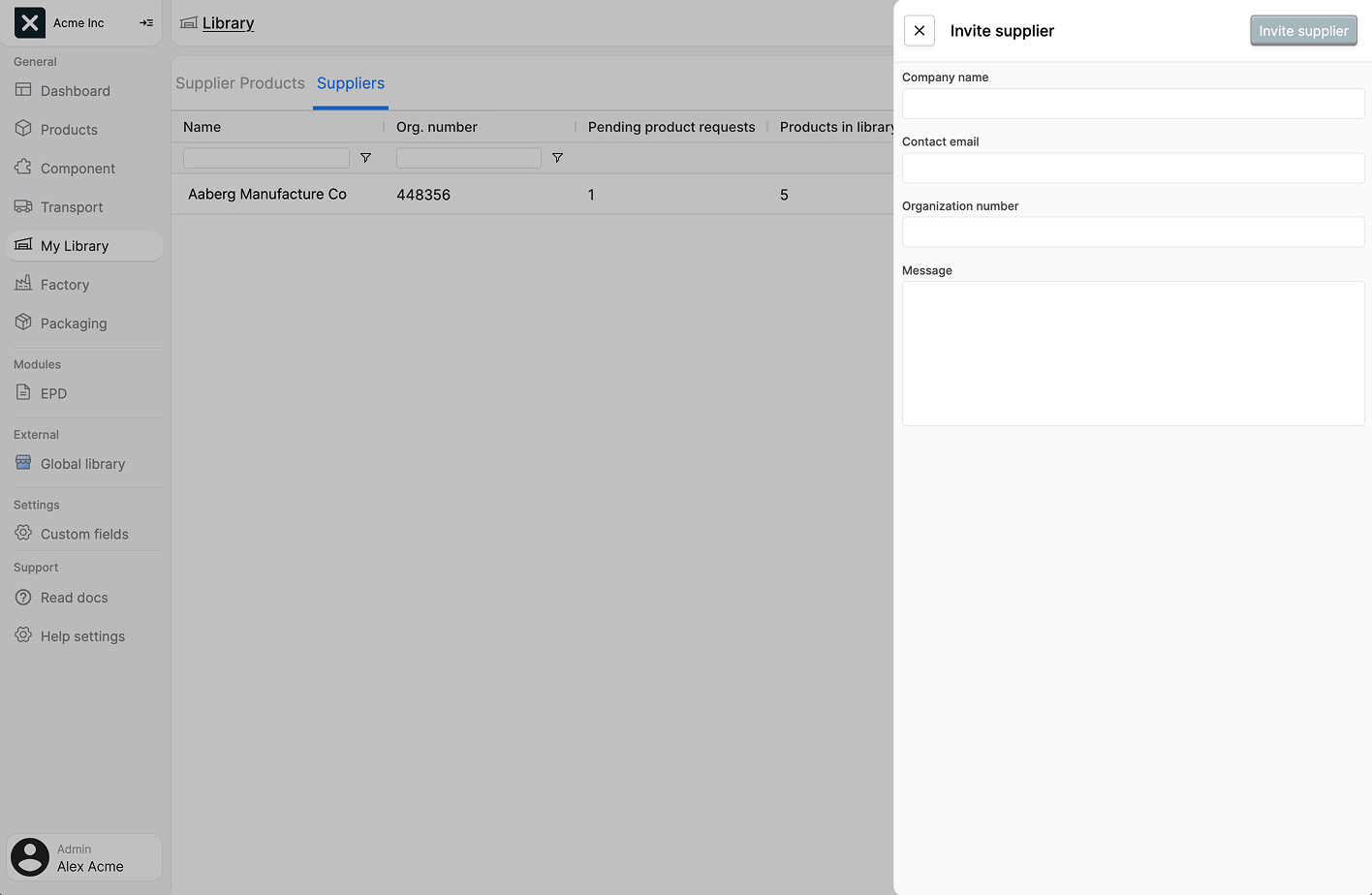
The form contains the following fields:
| Field name | Field description |
|---|---|
| Company name | The name of the supplier. |
| Contact email | The email address of your contact for the supplier. |
| Organization number | The organization number of the supplier. |
| Message | A message to send to the supplier along with the invitation and information about EandoX. |
Click Send invite to send the invitation to the supplier.
Suppliers in the system
As you type in the Company name field, EandoX searches for matching suppliers. If a match is found and selected, the Invite supplier button will change to Add supplier, letting you subscribe directly instead of sending an invitation.
Check the spelling
Misspelling happens more often than you think. Make sure to check your spelling before sending an invitation to the supplier.
Suppliers in the database can have one of two statuses: Registered or Not registered:
- Suppliers with
Registeredstatus already have EandoX accounts. - Suppliers marked as
Not registeredare known through imported public EPDs but haven't joined EandoX yet. Adding their email address when subscribing will automatically send them an invitation as well.
Managing invites
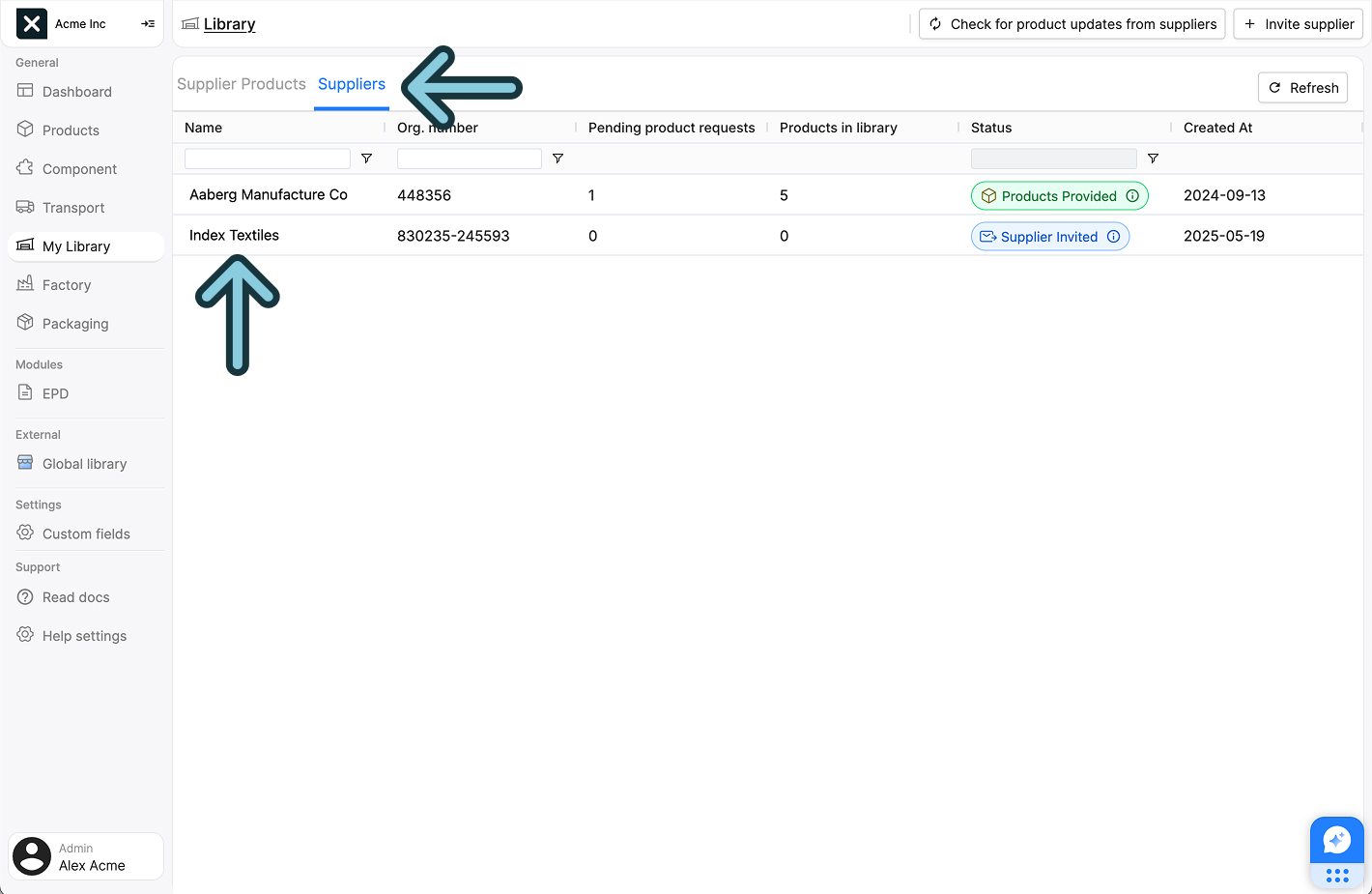
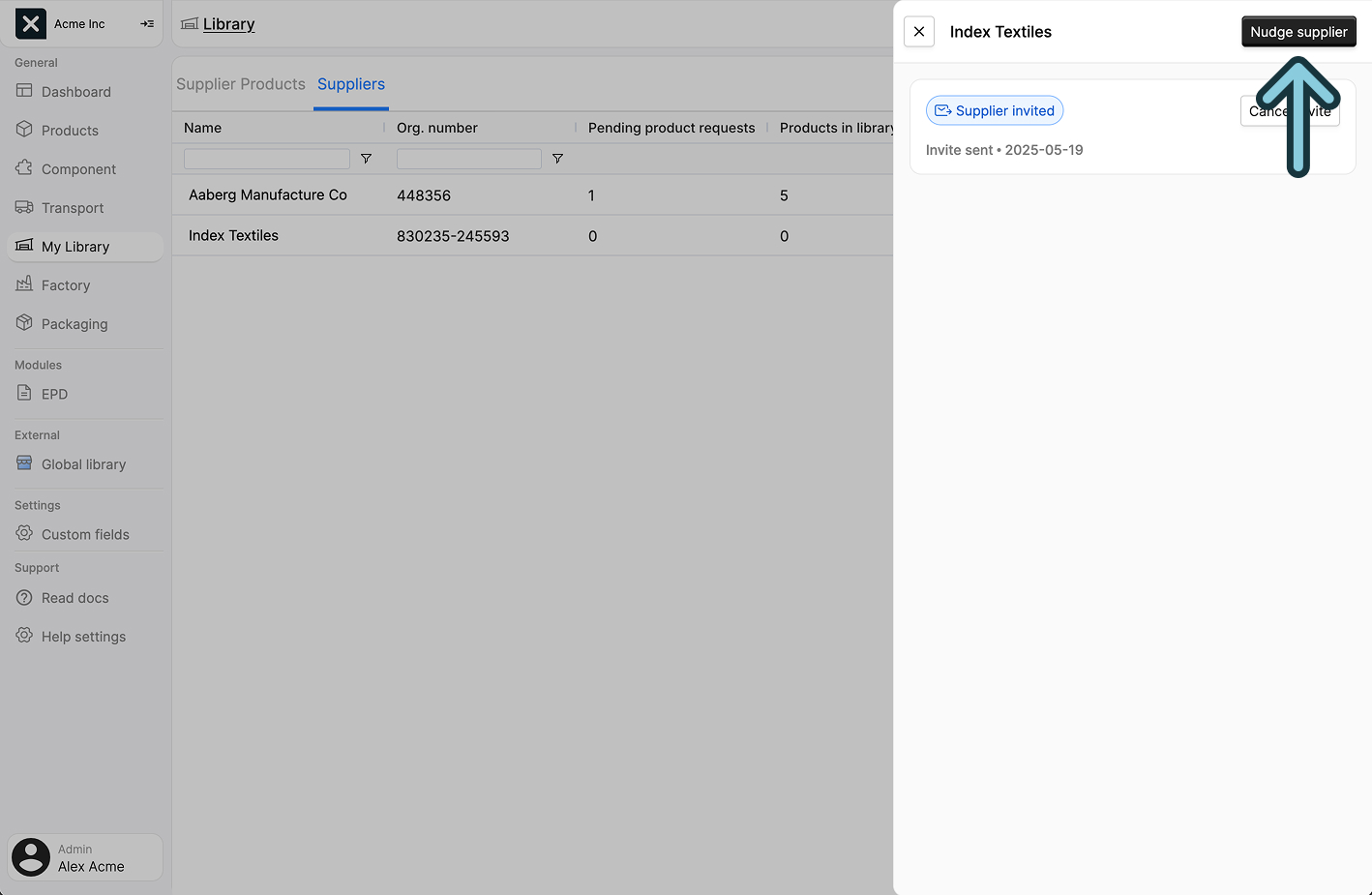
After sending an invite, you can manage it through the supplier's sidepanel. To access this, find the supplier in your suppliers list and click on their name to open the sidepanel.
Cancelling an invite
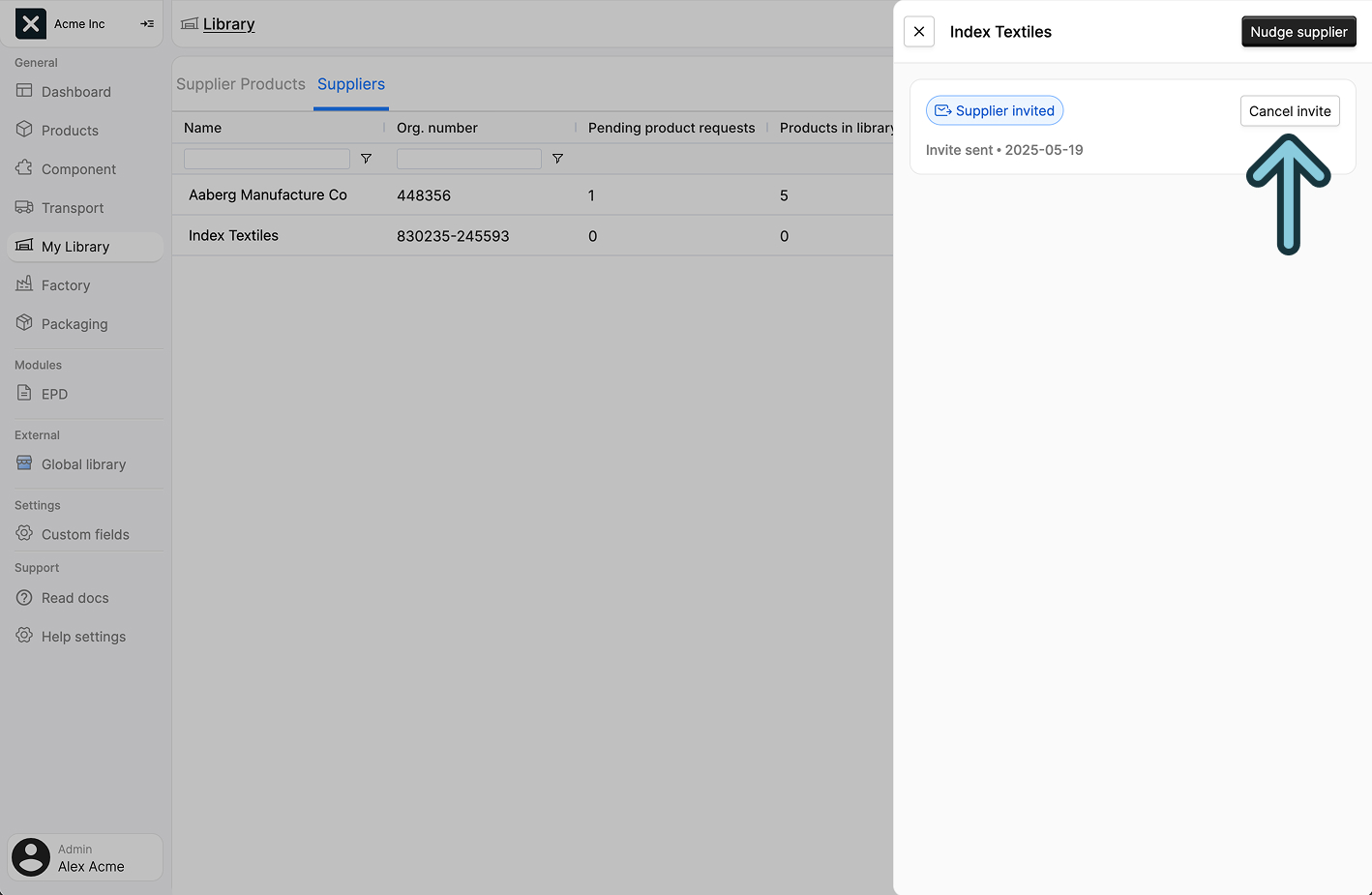
If you need to cancel an invitation that hasn't been accepted yet, you can do so from the supplier's sidepanel. Look for the Cancel invite button in the top right corner of the panel.
Nudging non-responsive suppliers
If a supplier hasn't responded to your invitation for a while, you can send them a reminder. In the supplier's sidepanel, look for the Nudge supplier button. This will send a gentle reminder email to the supplier about your pending invitation.
Nudge with care
It's recommended to wait at least a week before sending a reminder. The supplier's status (in the supplier list) will show as Not responded after two weeks of sending the initial invite.
What happens next?
The supplier will receive an email with your invitation, and information about EandoX. They can accept or decline the invitation. When they accept the invitation, they will automatically be added to your library with a Signed up status.
You can track the status of your invitation in the Suppliers tab. Read more about supplier statuses in the Managing suppliers documentation.